
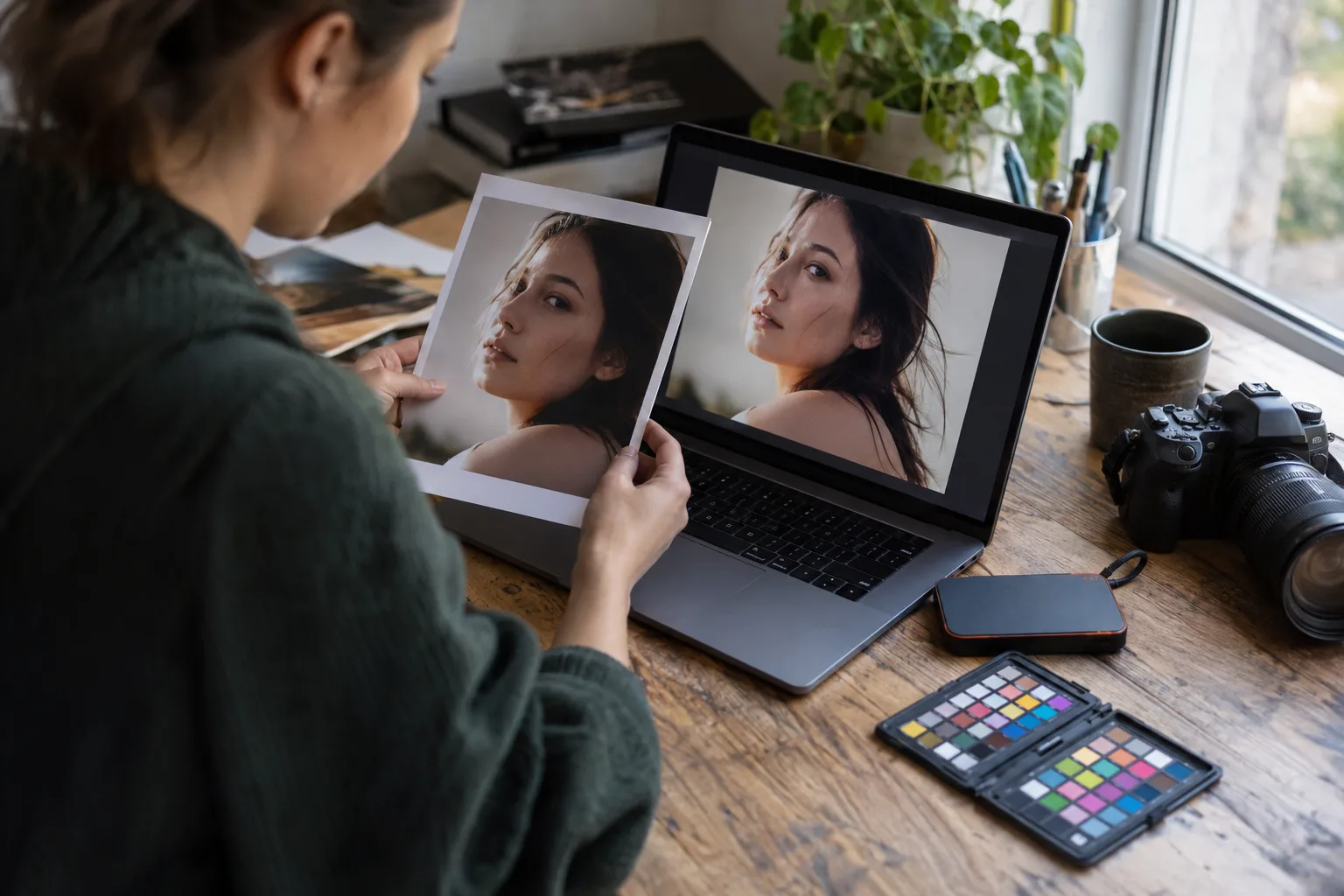
What Kind of Laptop Do You Need for Photo Editing? A Guide for Photographers
Choosing a laptop for photo editing can get complicated quickly. Product pages throw around processor generations, GPU cores, memory configurations, display specifications, and storage numbers without necessarily telling you what matters when you are sitting down with hundreds or thousands of images from a real photography session.
The good news is that most photographers do not need the most expensive laptop available. You need a computer that matches the size of your files, the applications you use, the volume of work you edit, and the way you actually work.
Start with your real editing workflow
Before comparing laptops, think about what a normal week looks like. Editing a few dozen JPEGs is very different from importing a large wedding, generating previews, culling hundreds or thousands of RAW files, running Lightroom and Photoshop together, and exporting a full gallery while answering client emails.
File size matters too. High-resolution RAW files place greater demands on memory, storage, and processing power than smaller files. Features that use AI or intensive image processing can also increase the workload.
Instead of asking, “What is the best laptop for photographers?” a more useful question is: “What does my laptop need to handle without slowing down my workflow?”
How much RAM does a photographer need?
Memory, or RAM, is one of the first specifications photographers should consider because photo editing often involves large files and multiple applications.
16 GB is a practical starting point for many photographers. It can work well for standard Lightroom and Photoshop workflows, particularly if you are not constantly running several memory-heavy applications at once.
32 GB is worth considering for heavier professional workflows. If you routinely work with large RAW files, big catalogs, layered Photoshop documents, panoramas, or multiple creative applications at the same time, the additional memory gives the system more room to work.
Photographers working with exceptionally large files or combining demanding photo and video workflows may benefit from more, but buying the maximum available memory simply because it exists is not automatically necessary.
What processor should you look for?
Your processor affects many of the tasks you feel every day: importing images, generating previews, applying edits, moving between photographs, and exporting finished files.
For a working photographer, prioritize a current, performance-oriented processor rather than choosing a laptop solely because it has the cheapest configuration. Apple silicon Macs and modern Intel- or AMD-based Windows laptops can all be capable editing machines when properly configured.
The exact processor name matters less than the complete system. A powerful processor paired with too little memory or storage can still become frustrating in a professional workflow.
Do photographers need a powerful graphics card?
Modern editing applications increasingly use the GPU for image processing, display acceleration, and certain AI-powered features. That makes graphics performance more important than it was in older photo-editing workflows.
However, photographers who primarily edit still images generally do not need to shop as though they are buying a high-end gaming or 3D workstation. A modern integrated or dedicated GPU that meets the requirements of your editing software can be sufficient for many photography businesses.
If you also edit substantial amounts of high-resolution video, use GPU-intensive creative applications, or rely heavily on newer AI editing tools, investing more in graphics performance may make sense.
How much storage should your editing laptop have?
Storage is where photographers often underestimate their needs.
A 256 GB internal drive can become cramped quickly once you account for the operating system, Lightroom catalogs, previews, applications, temporary files, and active client work. For a laptop used professionally, 512 GB is a more practical minimum for many photographers, while 1 TB gives you considerably more working room.
That does not mean every finished gallery needs to live permanently on the laptop. Many photographers use fast external drives or other storage systems for their larger photo archive while keeping current jobs and frequently accessed files on faster internal storage.
Internal SSD speed also matters. Photo-editing applications regularly read and write substantial amounts of data, so a fast solid-state drive helps keep the overall system responsive.
Do not overlook the display
A laptop can be extremely fast and still be a poor editing choice if its screen makes color and tonal decisions difficult.
Look for a high-quality display with good color reproduction, sufficient brightness for your working environment, and support for an appropriate color space. Display calibration and a color-managed workflow also matter; buying an expensive screen does not guarantee that every device or print will reproduce an image identically.
If you usually edit at a desk with a calibrated external monitor, the laptop's built-in display may be less important than it is for a photographer who edits almost entirely on location.
Mac or Windows for photo editing?
Both can be excellent choices. Lightroom and Photoshop are available on both platforms, and capable systems exist in each ecosystem.
The better choice often comes down to the rest of your workflow. Consider the software you already use, external drives and accessories you own, ports you need, whether you use an iPhone or other Apple devices as part of your business, and how comfortable you are with each operating system.
Switching platforms solely because another photographer says one is “better” can create unnecessary friction. If your existing ecosystem works well, there should be a meaningful workflow reason to change it.
Ports matter more than they seem
Photographers routinely connect memory-card readers, external SSDs, backup drives, monitors, calibration devices, and other accessories. Before buying a laptop, look closely at its ports.
A laptop that requires a bag full of adapters may still be the right choice, but factor those adapters or a dock into the actual cost and convenience of the setup. Also check whether the laptop has a built-in SD card reader if that is important to the way you ingest images.
A practical laptop specification for many working photographers
If you want a sensible baseline rather than spending hours comparing specification sheets, a laptop configured roughly like this can be a useful place to begin:
- A current Apple silicon, Intel, or AMD processor suitable for creative work
- At least 16 GB of memory, with 32 GB worth considering for heavier professional editing
- At least 512 GB of internal SSD storage, with 1 TB preferable when the budget allows
- A modern GPU supported by your primary editing applications
- A high-quality, color-capable display
- Enough ports—or an appropriate dock—for your cards, drives, and monitor
Those are starting points, not universal requirements. Always check the current system requirements and recommendations for the specific versions of Lightroom, Photoshop, Capture One, or other applications you rely on before purchasing a computer.
Where should you spend extra money?
If your budget forces you to choose, spend based on the bottlenecks you are most likely to encounter.
Photographers who keep laptops for several years may benefit from buying more memory up front, especially on models where memory cannot be upgraded later. Photographers who keep lots of active sessions locally may get more everyday value from a larger internal SSD. Someone who spends hours editing away from a desk may place more value on the built-in display and battery life.
Do not forget the cost of backup storage, card readers, docks, external monitors, calibration hardware, and any other equipment required to make the laptop part of a complete working system.
The best laptop is the one that removes friction from your workflow
Photographers make money by photographing, serving clients, editing efficiently, and delivering their work—not by owning the computer with the longest specification sheet.
A good editing laptop should let you import a session, move through your images comfortably, work in the applications you depend on, export finished files, and move on to the next part of your business without constantly waiting on the computer.
Buy enough performance for the work you do now, leave reasonable room for your workload to grow, and pay particular attention to memory, fast storage, display quality, and the requirements of your editing software. That usually leads to a much better purchase than simply buying the most expensive laptop you can afford.