
Winter portraits · THE SESSION KIT
Quiet Winter Daylight Photography Kit
A gentle XMP preset and practical guides for winter family or portrait sessions, from cold-weather planning to snow and skin-tone checks.
Free ZIP · 7 KB · No account required
Ready to plan your winter sessions?
Keep your client inquiries, session details and follow-up together. Setting up Session Savvy is optional and does not install the preset for you.
Explore Session SavvyDownload the file again · Continue browsing
Setting up your business is optional. Your browser handles saving the file.
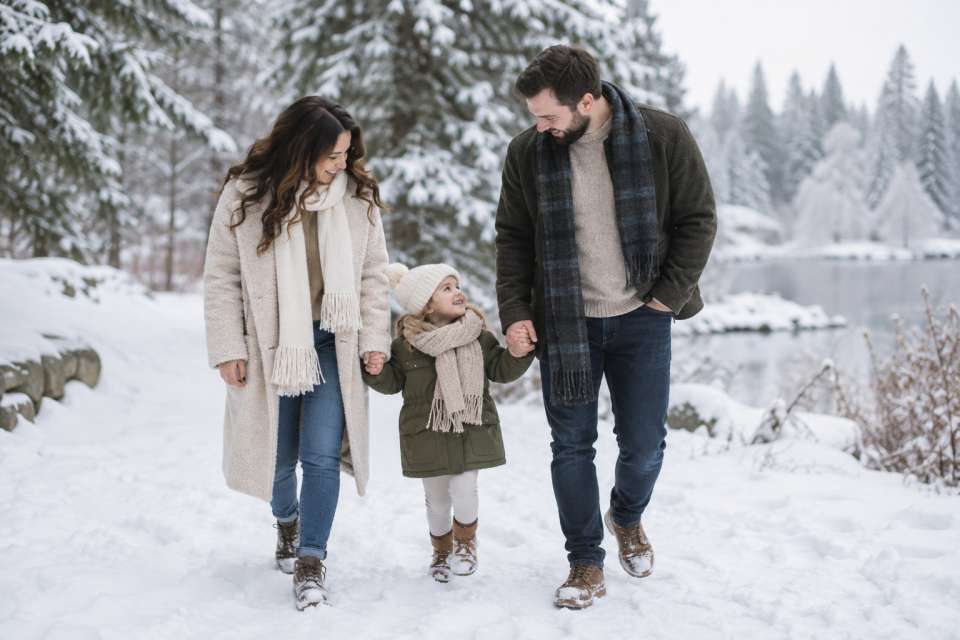
Free winter photography preset and session kit
Quiet Winter Daylight is a restrained XMP editing starting point for outdoor winter portraits. It holds detail in bright snow, opens shaded coats and faces, and gives the surroundings a gentle cool tone without pushing skin blue. The kit also includes practical guides for planning a short family or portrait session in cold weather. The preview artwork is illustrative; it does not show a photograph edited with this preset.
Plan for comfort before the light
Choose a location with safe access, a nearby warm-up option and room to move. Check the forecast close to the session and agree on a weather decision time with your client. Snow reflects a lot of light, but faces beneath hats or near dark trees may still need careful exposure. Keep the session short enough for the people involved, especially children.
Edit snow and skin separately
Start with a representative frame from one lighting setup. Set exposure and white balance before applying Quiet Winter Daylight. Look for texture in the snow and clean whites without losing detail. Check faces at a useful viewing size. If the environment needs to stay cooler than the people, adjust white balance or local edits for the photograph rather than forcing one global setting across every scene. Sync only images made in similar light, then review each frame.
The XMP file is structurally valid, but Adobe import and real-photo visual testing have not yet been completed. Lightroom versions and camera profiles can render the same settings differently. Make your own test edit before using it on a client gallery.
Inside the download
- Quiet Winter Daylight XMP preset
- Start-here and installation notes
- Winter session planning guide
- Cold-weather shot and safety checklist
- Client preparation email template
- Winter editing review sheet
Every template is a starting point. Replace bracketed details, confirm local conditions and your own policies, and use only imagery you have permission to share.
PRACTICAL RESOURCES
Your session, step by step
The complete ZIP preserves the supplied guide and template formats. Open PDFs to read or print, and use the editable documents in a compatible application.
- Client Preparation Email (HTML)
- Cold Weather Checklist (HTML)
- START HERE (TXT)
- Winter Editing Review (HTML)
- Winter Session Planning Guide (HTML)
Exactly what’s in the ZIP
Version 1.0 · 7 KB
- quiet-winter-daylight/Client_Preparation_Email.html
- quiet-winter-daylight/Cold_Weather_Checklist.html
- quiet-winter-daylight/Preset/Quiet_Winter_Daylight.xmp
- quiet-winter-daylight/START_HERE.txt
- quiet-winter-daylight/Winter_Editing_Review.html
- quiet-winter-daylight/Winter_Session_Planning_Guide.html
Free ZIP · 7 KB · No account required
Ready to plan your winter sessions?
Keep your client inquiries, session details and follow-up together. Setting up Session Savvy is optional and does not install the preset for you.
Explore Session SavvyDownload the file again · Continue browsing
Setting up your business is optional. Your browser handles saving the file.
Keep planning
Explore the related Session Savvy feature