

A photography booking app should do more than put a date on a calendar. It should help a client understand the offer, choose an appropriate time, share the details you need, and know what happens next. For the photographer, the booking should remain connected to the client, payment, preparation, and delivery work.
If you are comparing the best photography booking apps in 2026, start with the kind of sessions you sell. A consultation scheduler may suit a wedding inquiry, while a fixed-slot mini-session day needs a clear public offer and reliable availability. This guide compares those approaches, then gives you a practical way to test software with a real booking.
Four booking apps to consider for different workflows
Choose around the work you need to do. This is a focused shortlist, not a ranking or a hands-on test of every platform. Official pricing and product documentation reviewed . Prices below are USD, before applicable taxes.
Scroll horizontally to read all five columns. Keyboard users can focus the table region and use the arrow keys.
| App / intended user | Booking approach | Mini-session fit | Pricing structure | Limitations to weigh |
|---|---|---|---|---|
| Session Savvy Photographers managing clients and session work. | Dedicated mini-session slots; general sessions use availability requests and photographer approval. | Publish an event with bookable times and your payment terms. | $0 ongoing software subscription. Online payments: 1% platform fee plus Stripe processing. Pricing. | Client CSV import moves contact fields, not existing websites, galleries or payment history. Check optional service costs. |
| Pixieset Studio Manager Photographers already using the Pixieset ecosystem. | Booking site with full-session and mini-session types. | Generates slots from dates, duration and breaks. Mini-session setup. | Ongoing Free plan; Plus $15 monthly or $12/month billed annually ($144/year). Pro $24 monthly or $18/month annually ($216/year). Processing is separate. Pricing. | Free: one active session type, three contracts and three quotes/questionnaires. Retainers during booking require Pro. Gallery/website plans are separate from Studio Manager. |
| Session (UseSession) Photographers wanting a dedicated booking platform. | Self-booking for mini and full sessions, with contracts, questionnaires and payment options. | Dedicated event slots, packages and add-ons. Mini-session workflow. | 14-day trial, then $19 monthly or $14/month billed annually ($168/year). No booking commission; payment-provider processing still applies. Pricing; fees. | No ongoing free plan advertised. Includes 3GB gallery storage; more storage costs extra. |
| Calendly Individuals or teams scheduling consultations and appointments. | Availability-based scheduling; paid plans add payments and reminders. | Can schedule short appointments. Test your event-day setup and photography delivery handoff. | Ongoing Free plan. Standard $12/seat monthly or $10/seat/month billed yearly ($120/seat/year), without optional add-ons. Pricing and features. | Free has one event type and one calendar; payment collection requires a paid plan. Confirm payment-provider charges and current payment terms before collecting fees. Photography gallery delivery is outside this comparison. |
Separate software subscriptions, platform commissions and payment processing when comparing costs. Pixieset’s 15% Free Client Gallery store commission concerns store orders, not every Studio Manager booking. For a closer look at that choice, read Session Savvy vs Pixieset Studio Manager. The broader booking-app shortlist covers more options.
Set up one mini-session offer in Session Savvy
This is the dedicated mini-session flow. General session scheduling instead lets a client request a time for your approval; it is not the same checkout.
Set up the offer
In Mini Sessions, add your event name, description and photos. Set the price and booking-payment requirement, then add dates and time slots. Review what clients receive, where to meet and what remains due. The photography pricing calculator can help you check the annual business plan behind that offer.
Publish and share the booking page
Check your event details and availability, then publish it. Share its public session link on your website, in email or on social media. Your photographer listing brings your public sessions together.
The client chooses a time and books
The client opens the offer, selects an available slot and enters the requested booking details. They review the booking and complete the configured payment step. Payment requirements depend on the offer; a selected time alone is not a completed booking.
Review the booking afterward
Open the mini session to see booked times and client details. Review its booking and payment status, including any balance due, before preparing for the session. After the session, use Session Savvy’s galleries to deliver the photographs.
Create your first mini-session booking pageThis opens free account registration. You will set up and publish the page after signing up. Online payment fees apply.
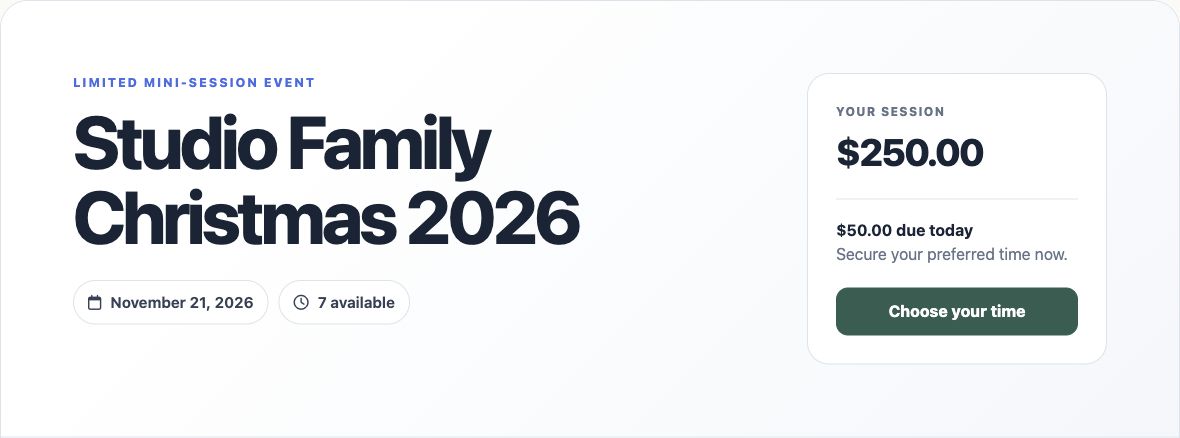
Capabilities checked against Session Savvy’s mini-session guide, the current application setup and public booking code, and the public page shown above. Use the general session booking guide when your work needs requests and approval instead.
What is a photography booking app?
A photography booking app is software that lets a client request or reserve a photography service and gives the photographer a way to manage the appointment. Basic scheduling apps expose available times. Booking software for photographers may also connect inquiries, session details, forms, invoices, payments, messages, and follow-up tasks.
The distinction matters: a calendar reservation alone may be enough for a consultation. A paid portrait session usually needs an offer, client information, payment terms, preparation, and a reliable record of what was promised. Our photography booking software guide covers the broader software category.
What should photographers look for in booking software?
Online scheduling and session availability
Clients should see only times you can actually offer. Test calendar conflicts, lead time, time zones, travel, setup time, buffers, and the difference between a request and an instantly confirmed booking. Some sessions need a discovery call or approval before a date is held. A photography scheduling checklist can help you test those calendar rules in more detail.
Mini sessions and fixed time slots
Mini sessions place several clients on one date. Test how you create the offer, publish the available slots, collect client details, take a retainer or full payment, and see the resulting roster. Try two clients selecting the last slot and check what happens when one needs to reschedule. Session Savvy’s free mini-session booking page shows the client-facing starting point; the mini-session feature guide covers the connected booking workflow.
Client management, forms, and questionnaires
A booking form should ask only what is needed to accept the appointment. A longer questionnaire can follow when you are preparing the shoot. Look for a client record that keeps contact information, past sessions, messages, and answers together. Compare your process with Session Savvy’s inquiry forms, client management and questionnaire tools.
Invoices and payments
Before publishing a booking page, decide whether a date is held without payment, with a retainer, or only after full payment. Test the unfinished-checkout case as carefully as a successful one. Can you see what was invoiced, what was paid, and what remains due? Explore photography invoices and balances and the retainer and payment workflow guide.
Automated communication and workflows
Confirmations and reminders save time only when they contain the correct date, location, and next step. Test the messages a client receives after booking, rescheduling, and canceling. Also check whether the photographer can see the next preparation task without relying on memory. Session workflow management is useful when the work continues well beyond the calendar event.
Client portal, galleries, and mobile usability
Open the entire client journey on a phone: offer, form, time selection, payment, confirmation, and later documents. A photography client portal can give clients a place to revisit shared session information, invoices, and messages. Galleries matter if image delivery is part of the same system; if you use a separate gallery service, check how you keep its delivery status connected to the session. Do not assume every scheduler includes a gallery.
Free vs paid photography booking software
A free photography booking app can be enough when it covers your real booking rules and you can manage the remaining work comfortably. Compare limits on bookings, forms, reminders, team members, storage, branding, exports, and payment methods. Paid subscriptions may make sense when their added tools save substantial administrative time. Always compare the full cost, including processing fees and any platform fee on online payments.
Session Savvy starts at $0 per month with no credit card required to create an account. When you collect an online payment, a 1% Session Savvy platform fee applies in addition to Stripe processing fees. If you do not collect an online payment, there is no payment-based platform fee. See the current pricing details before setting your own session prices.
Run one test booking before you choose
- Use a real offer. Include the session length, location, price, deliverables, and terms you would actually publish.
- Book on a phone. Try the process as a new client and notice every unclear field or extra step.
- Check availability. Test a conflict, a buffer, a reschedule, and the last mini-session slot if you sell minis.
- Follow the money. Test payment or a retainer, then find the invoice, paid amount, and remaining balance.
- Read the communication. Check the confirmation, reminder, and what the client sees after booking.
- Prepare the shoot. Find the client's answers, session details, next task, and delivery plan without rebuilding them elsewhere.
- Calculate cost. Compare the subscription, payment fees, time spent moving information, and ease of exporting your records.
Session Savvy is built for photographers who want the booking connected to the rest of the client journey. Create a free account, set up one real offer, and decide whether the workflow fits your business.
Photography booking app FAQs
Is a photography booking app the same as a scheduling app?
Not always. A scheduling app may focus on showing available appointment times. A photography booking app can also capture the offer, client details, payment, communication, and session preparation. Check the specific product rather than assuming the label guarantees a feature.
Can I use a free booking app for mini sessions?
Yes, if the free plan supports the slots, booking rules, and client information you need. Test how the last available time behaves and whether payment fees or usage limits affect the event. Session Savvy lets photographers start a mini-session booking page with a $0 monthly software price; online payment fees still apply.
Do I need a client portal or gallery in the same app?
That depends on your workflow. A portal can help clients find shared session details, invoices, and messages. A gallery handles image delivery and sometimes sales. You can use separate tools if the handoff remains clear for your clients and your team.